
Storyboard motion
Prompt ideas become clip sequences with a visible creative path.
 SeedMotionAI Video Maker
SeedMotion - AI Video Maker
SeedMotion turns compact ideas, references, and visual directions into short AI video drafts with clear mode choices for speed, duration, and resolution.
Coming soon
App Store
iOS release channel
Coming soon
Google Play
Android release channel

Visual engine
The site visuals now follow the updated SeedMotion icon: deep navy surfaces, glowing cyan motion, and fresh leaf-green highlights.
Prompt ideas become clip sequences with a visible creative path.
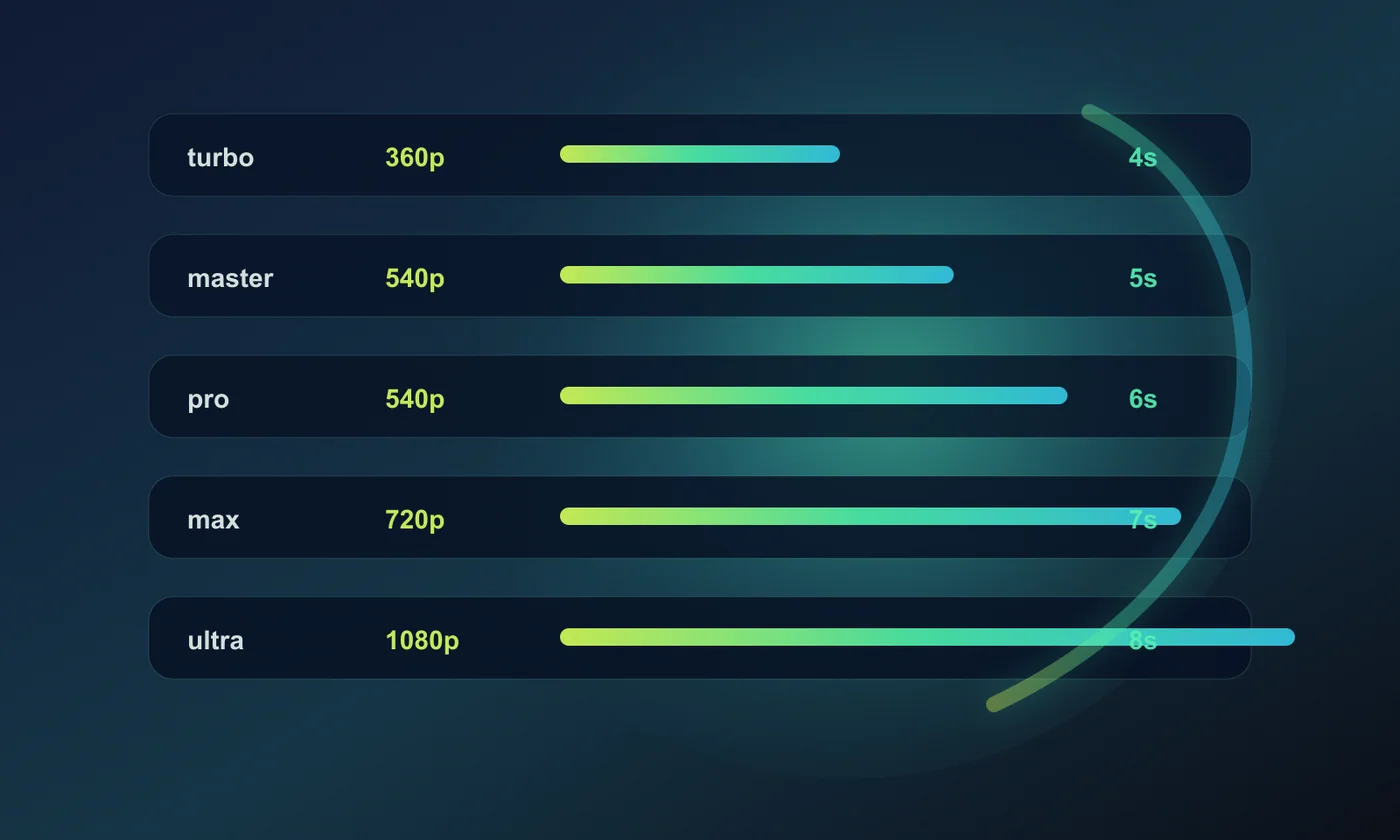
Resolution and duration choices stay visible before generation.

Contact, FAQ, refund, and deletion guidance stay easy to find.
Modes
The public mode guide explains the available output profiles by resolution and duration.
Workflow
SeedMotion is built for fast iteration: describe the scene, choose a mode, generate motion, then refine the next prompt with what you learned.
01
Start with a prompt, reference, or short visual direction.
02
Pick speed, resolution, and duration based on the clip you need.
03
Generate, review, and iterate until the video is ready to share.
Support
For app review and user support, SeedMotion provides a clear support email, FAQ, refund guidance, and in-app account deletion instructions.
Support email
Use this address for account, purchase, refund, privacy, safety, or technical questions.
Issue report
Opens an email template with app version, device, reproduction steps, expected result, and actual result.
FAQ
Account deletion, refunds, AI training, mode choice, bugs, and support response basics.
Refunds
Apple or Google approved refunds are recognized after platform confirmation.